
How to audit old website content before you publish again
Before you publish another article, look at the old content already on your website.
This is how to audit old website content without turning the job into a spreadsheet nobody finishes.
Your website does not have to be wrong to feel abandoned.
A reader lands on an old guide. The advice still sounds plausible, but the screenshots show a product that no longer exists. The next link returns a 404. A second article answers almost the same question with a different conclusion. Neither page says when somebody last looked at it.
Nothing dramatic happened. The site simply stopped feeling cared for.
Readers rarely audit a page before deciding whether to trust it. They notice small signals and form an impression. Does this place feel maintained? Is somebody still responsible for it? If I follow the advice, will it still work?
Publishing another article does not answer those questions. Sometimes the useful work is finding what the site has already forgotten.
The problems that matter often live between pages
Page-by-page review catches obvious mistakes. It misses the patterns that only appear when the whole site is seen together.
- Two pages may carry nearly the same title and compete for the same question.
- A useful article may have no internal link pointing to it.
- A redirect may lead into another redirect before the reader reaches the destination.
- An old guide may still attract visitors while describing a product, price or process that changed years ago.
- A section can become thin gradually, one neglected page at a time.
No single problem makes a site untrustworthy. The accumulation creates the feeling. A broken link here, an outdated screenshot there, three similar pages written by different people at different times. The visitor cannot see the maintenance history, so they infer it from the surface.
This is why a whole-site view matters. The question is not only, "Is this page good?" It is also, "What is happening around it?"
Start with an inventory, not another blank page
Most content teams already know part of their archive needs attention. What they lack is a usable list.
The sitemap is the simplest place to begin. It remembers every URL the site has published, even when the people running the site no longer do. Use the sitemap to make a shortlist by path and by pages untouched for three, six or twelve months.
Age is not a verdict. An old page may be complete, accurate and still earning attention. It may be the last page you should touch. The age filter does something more modest and more useful: it turns an archive too large to remember into a shortlist a person can judge.
That judgement should remain human. Keep the pages that are finished. Refresh the ones whose facts or screenshots aged. Merge the pages answering the same question. Remove what no longer deserves a place.
The list makes the decision possible. It does not make the decision for you.
Quorl shows what one page cannot
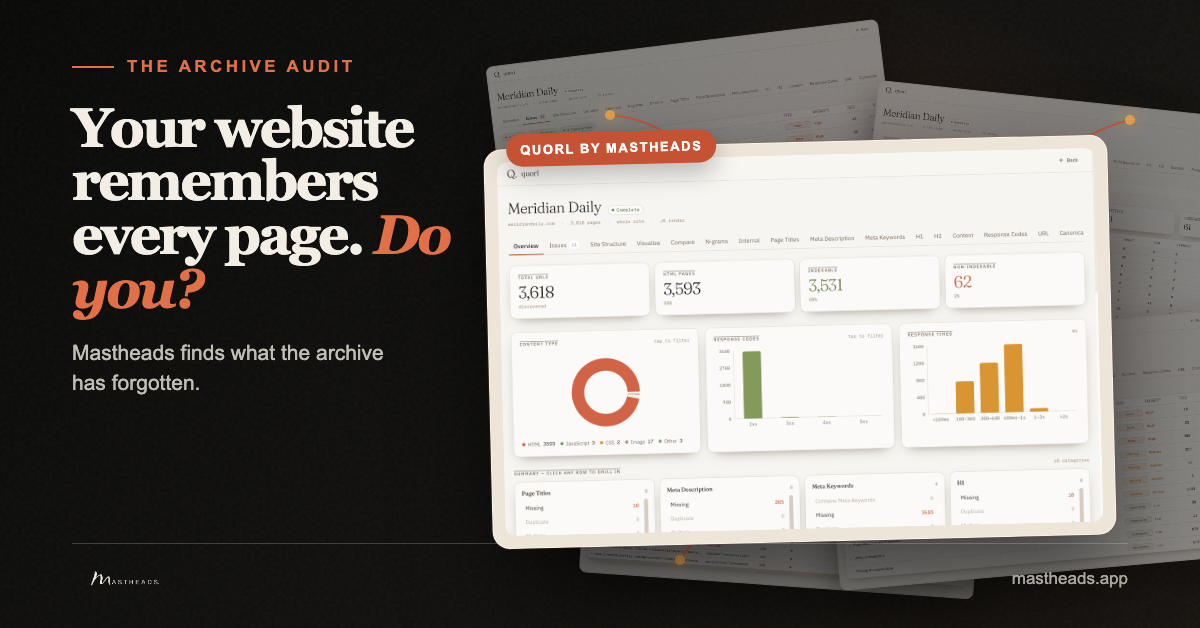
Quorl is the whole-site SEO audit inside Mastheads. It crawls the site and reports the problems that appear on a page and the problems that appear across pages: broken links, missing or duplicate titles, missing descriptions, redirects, thin pages and weak internal linking.
That distinction matters. A single-page checker can tell you a title exists. It cannot tell you the same title appears elsewhere. It can confirm that a link works. It cannot show that an important page is isolated from the rest of the archive.
Quorl finds and organises those signals. It does not quietly edit the site. A report can tell you what deserves attention; deciding what to change remains yours.
Once a page is selected, Mastheads can read the original URL before any article is spent and use it as the starting point for a refresh, a rewrite or a stronger replacement. The audit and the writing are separate steps: first understand the site, then choose the work.
How to audit old website content in ten minutes
You do not need software to begin. Pick ten important pages and ask:
- Does every page still describe the product, market or process as it exists now?
- Does every internal link reach the page it promises?
- Are two pages trying to answer the same search question?
- Can a reader move from each article to another useful page on the site?
- Is there a real reason to keep each page, beyond the fact that it was once published?
The exercise will not repair a large archive, but it will reveal whether maintenance has become a real job rather than a vague concern.
A maintained site feels different
Freshness is not a date stamped at the top of every article. It is evidence that somebody still cares whether the site helps.
The links work. The advice matches the present. Similar pages have a clear reason to exist. Older articles lead somewhere useful. The archive feels like one publication rather than a pile of past decisions.
That is the quiet standard readers are applying. They may never describe it this way. They simply stay, trust the next link and come back later.
Your website already remembers every page. The useful question is whether anyone is still looking after them.